ArcTree
Complex software systems often contain thousands of dependencies, and a visualization can become overwhelming pretty quickly. ArcTree's focus concept lets you hide the dependencies that are currently not relevant — for example, show only the incoming dependencies of all selected elements.
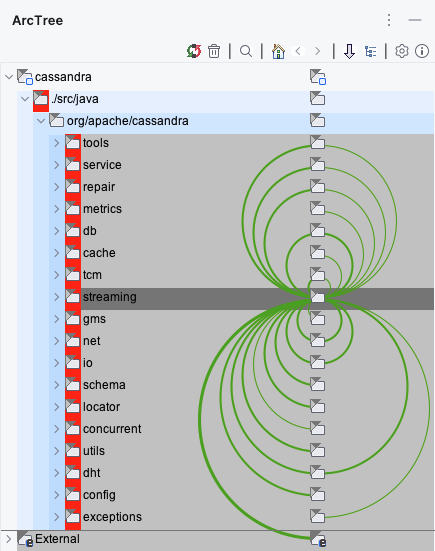
Many ways to focus
- There are many different ways to add or remove elements from the current focus.
- You can even filter by dependency type.
- Different focus modes such as in, out, in-out and in-transitively let you limit the visualization to just the parts of the system that are currently relevant to you.
- The navigation buttons in the ArcTree toolbar let you move back and forth between different foci and tree expansion states.
Get started
Try ArcTree for free for two weeks: install it from the JetBrains Marketplace and work through the tutorial so that you can properly assess all the features. If you want to keep using ArcTree after the evaluation period, please consider buying an annual subscription. And if you want to go the extra mile to improve the visibility of ArcTree, rate it on the JetBrains Marketplace.
To buy an ArcTree subscription you need an account on this website. We recommend creating one once you have seen the benefits of ArcTree.